
Your music, all over your screen.
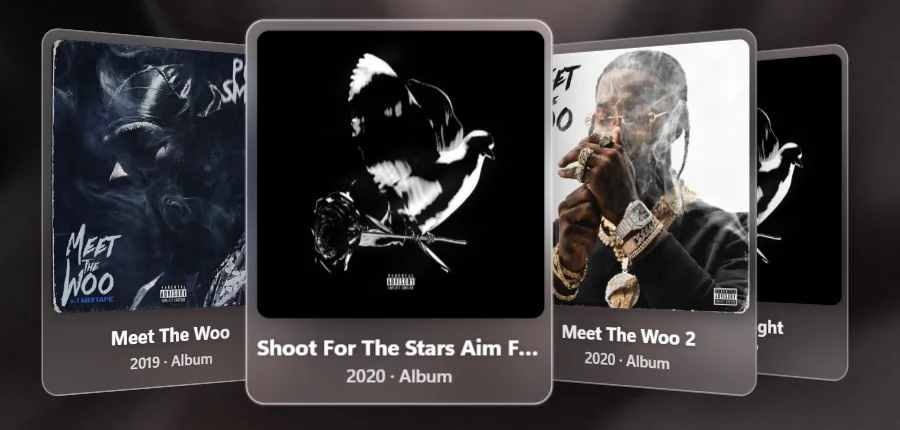
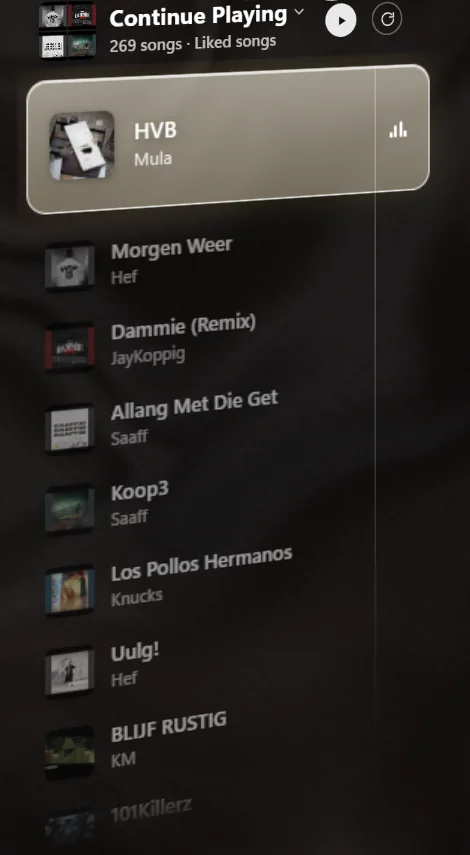
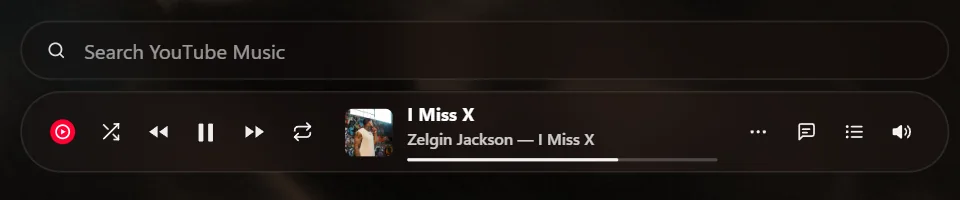
ScreenPlayer puts a player on your Windows desktop. A tall clock, the songs that play next, the artist's albums and a glass player sit right on your wallpaper, and they follow whatever you play.
One-time purchase. Windows 10 and 11.
The desktop is the player.
Minimise your windows and your music is there. Every part is glass, takes its colours from the cover, and can be switched off on its own.
Lyrics, word by word.
Synced lyrics show up beside the cover as the song plays, in one of eight styles. They come from LRCLIB, a free library that listeners keep up to date.

Lyrics rise beside the cover as they are sung, in the font that fits the song.
KaraokeFisheyeSpreadTypewriterNeonEchoGlitchCinema
No synced lyrics for a song? Automatic lyrics (beta) listens along and writes them on your own graphics card. It needs a recent graphics card and a one-time download of 1.5 GB.
The video is your wallpaper. And the room lights up.
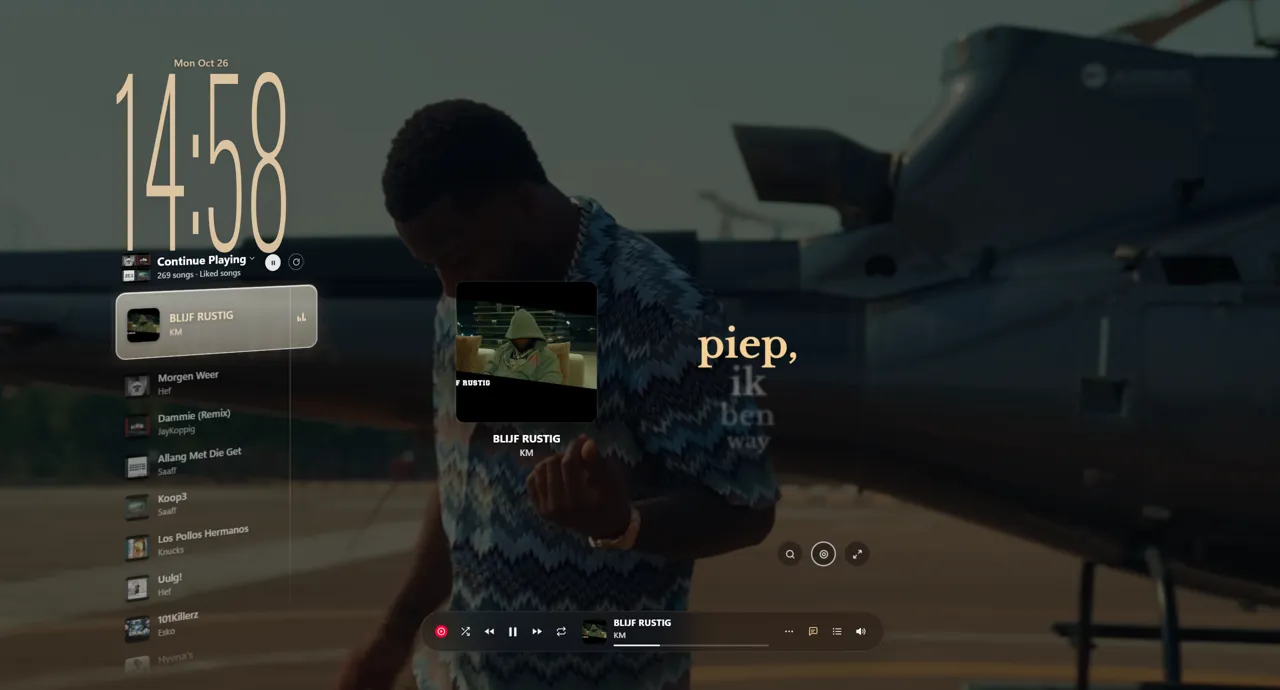
The live wallpaper plays the music video behind your windows, or liquid colours taken from the cover, like the ones behind this page.
Light around the edges of every screen, in the colours of the cover, pushed forward by the beat. Pick one of 22 styles, keep it on one screen or all of them, and it steps aside when you go full screen. The tray icon turns into the cover with a ring that beats along.
Wherever you listen.
- YouTube Music
- Spotify
- Apple Music
- SoundCloud
- Amazon Music
In the app or in Chrome and Edge. ScreenPlayer follows anything that shows up in the Windows media controls, so it works with the player you already use. No sign-in, no account.
Playing in a minute.
- Download
The download link arrives by email right after checkout.
- Run the installer
Windows may show a blue SmartScreen box, because ScreenPlayer is new and not yet known to it. Click More info, then Run anyway.
- Play a song
In any app or browser tab. The desktop, the lyrics and the light follow by themselves.
One price. Yours.
Once. No subscription, no account.
- The desktop player: clock, next songs, cover flow, search
- Lyrics in 8 styles, automatic lyrics (beta)
- Live wallpaper and tray icon with beat ring
- Edge light in 22 styles, for every screen
- Free updates
Secure checkout. Download link and receipt by email.
You pay one time and ScreenPlayer is yours. Your settings stay on your PC, and nothing about you leaves it.
For Windows 10 and 11, 64-bit. If it doesn't work on your PC, you get your money back within 14 days.
Questions
Do I need YouTube Music Premium or Spotify Premium?
No. ScreenPlayer follows what you already play, free or paid. The built-in player on the desktop uses YouTube's own embedded player.
Does it play Spotify songs itself?
Not yet. Searching for a Spotify or Apple Music song opens that app's search. Playing from the desktop goes through YouTube Music.
Will it slow my PC down?
The desktop and the light are drawn on your graphics card. Automatic lyrics is the only heavy part, and it stays off until you switch it on.
Does it work with more than one screen?
Yes. Each screen gets its own light, and you choose where it shows: all edges, only the bottom, only the top or only the corners.
Is there a Mac version?
No. ScreenPlayer is for Windows 10 and 11.
Why does Windows warn me when I install it?
ScreenPlayer is new, so Windows SmartScreen doesn't know it yet. Click More info and then Run anyway. The installer is the one you downloaded from your receipt.
Can I get a refund?
Yes, within 14 days if ScreenPlayer doesn't work on your PC. Send an email with your order number. The terms have the details.